Agent Orchestration 2026: LangGraph, CrewAI & AutoGen Guide
Compare LangGraph, CrewAI & AutoGen for AI agent orchestration. Learn when to use each framework, implementation patterns, and production strategies.
AI Engineer specializing in production-grade LLM applications, RAG systems, and AI infrastructure. Passionate about building scalable AI solutions that solve real-world problems.
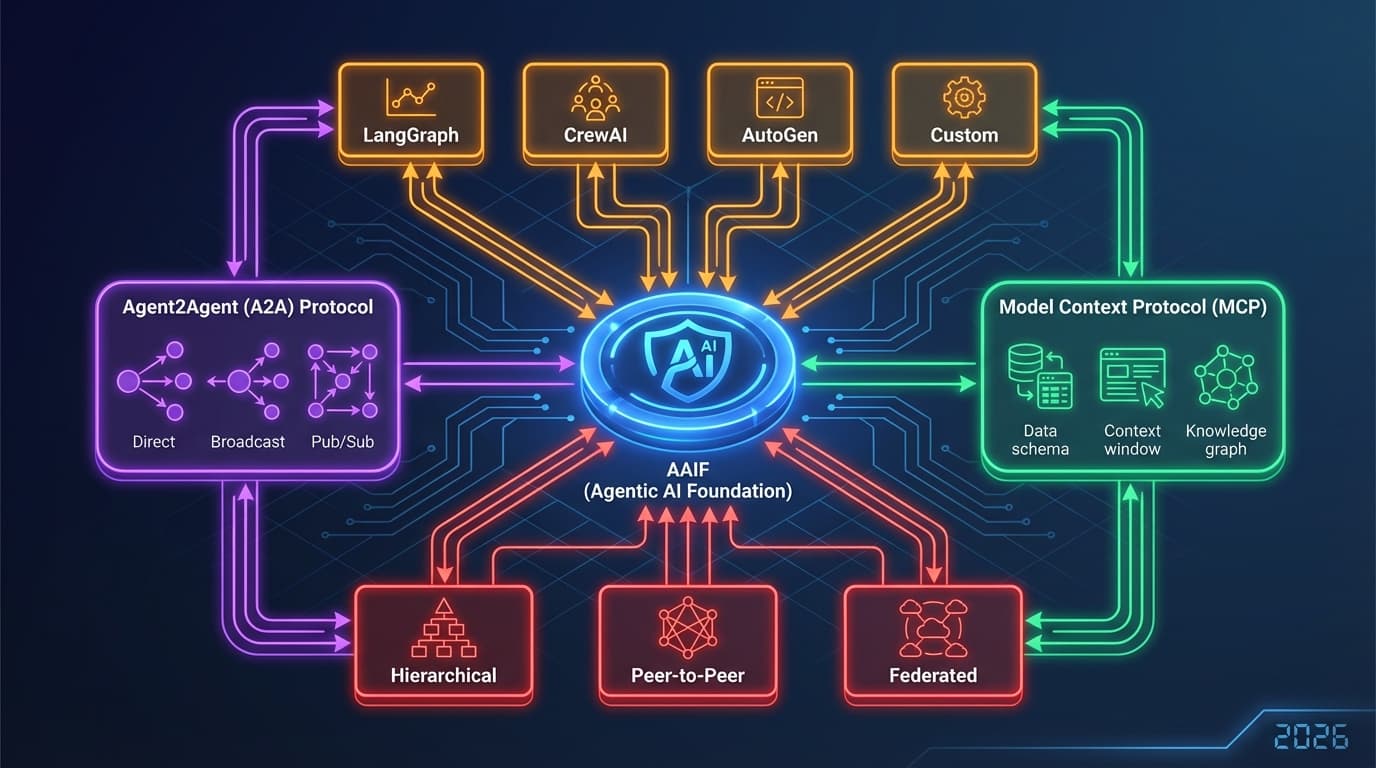
The rise of agentic AI has transformed how we build intelligent systems. Instead of single-purpose AI models, we're now orchestrating teams of specialized agents that collaborate, delegate tasks, and solve complex problems autonomously. In 2026, three frameworks dominate the AI agent orchestration landscape: LangGraph, CrewAI, and AutoGen.
These frameworks aren't just tools—they represent fundamentally different philosophies for building multi-agent systems. LangGraph treats workflows as stateful graphs, CrewAI organizes agents into role-based teams, and AutoGen frames everything as multi-agent conversations. Understanding which framework to choose can mean the difference between a prototype and a production-ready system.
In this comprehensive guide, we'll compare these three leading frameworks, explore their architectures, and provide practical guidance for building production-grade AI agent systems in 2026.
The AI Agent Orchestration Landscape
Why Agent Orchestration Matters
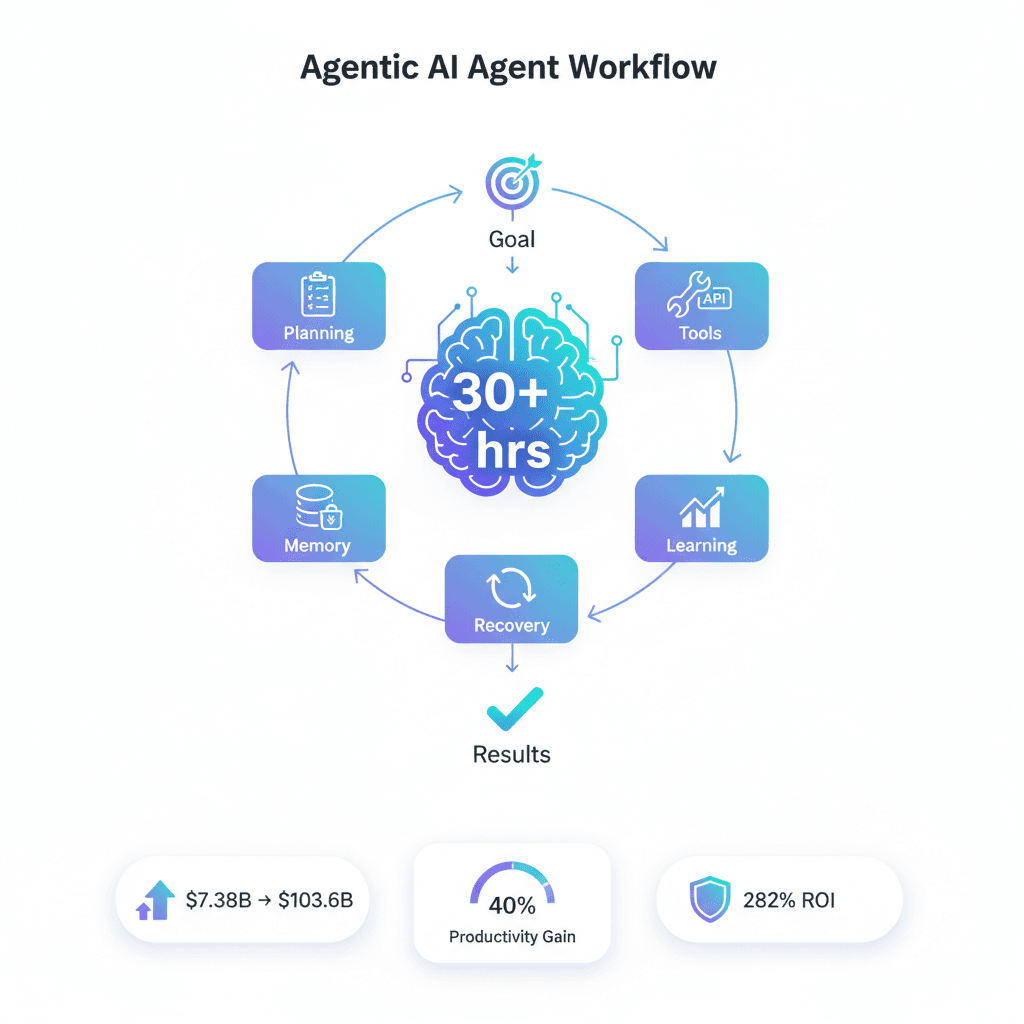
Traditional LLM applications follow simple patterns: prompt → response → done. But real-world problems require:
- Multi-step reasoning: Breaking complex tasks into manageable subtasks
- Tool usage: Calling APIs, databases, and external services
- State management: Tracking context across long-running workflows
- Parallel execution: Running multiple agents simultaneously
- Error recovery: Handling failures gracefully and retrying
Agent orchestration frameworks solve these challenges by providing structured ways to coordinate multiple AI agents working together.
Market Growth and Adoption
As of 2026, AI agent frameworks have become production-critical infrastructure:
- Enterprise adoption: 86% of copilot spending ($7.2B) goes to agent-based systems
- Framework maturity: LangGraph, CrewAI, and AutoGen have all reached production stability
- Developer preference: Over 70% of new AI projects use orchestration frameworks
- Integration ecosystem: Hundreds of pre-built tools and integrations
Framework Deep Dive
LangGraph: Graph-Based State Machines
Philosophy: Workflows are stateful graphs with nodes, edges, and conditional routing.
Developed by: LangChain team Best for: Complex stateful workflows, explicit control flow, debuggable systems
Core Concepts
from langgraph.graph import StateGraph, END
from typing import TypedDict, Annotated
from langchain_openai import ChatOpenAI
import operator

# Define state structure
class AgentState(TypedDict):
    messages: Annotated[list, operator.add]
    next_step: str
    research_data: dict
    final_output: str

# Initialize LLM
llm = ChatOpenAI(model="gpt-4o", temperature=0)

def research_node(state: AgentState):
    """Research agent node - gathers information."""
    query = state["messages"][-1]

    # Simulate research (in production, call actual APIs)
    research_result = {
        "topic": query,
        "findings": "Comprehensive research data...",
        "sources": ["source1.com", "source2.com"]
    }

    return {
        "research_data": research_result,
        "next_step": "analyze"
    }

def analyze_node(state: AgentState):
    """Analyzer agent node - processes research data."""
    research = state["research_data"]

    analysis_prompt = f"""Analyze this research data:
    {research['findings']}

    Provide key insights and recommendations.
    """

    response = llm.invoke(analysis_prompt)

    return {
        "messages": [response.content],
        "next_step": "write"
    }

def write_node(state: AgentState):
    """Writer agent node - creates final output."""
    analysis = state["messages"][-1]

    writing_prompt = f"""Create a comprehensive report based on:
    {analysis}

    Make it clear, actionable, and well-structured.
    """

    response = llm.invoke(writing_prompt)

    return {
        "final_output": response.content,
        "next_step": "end"
    }

def should_continue(state: AgentState):
    """Conditional routing logic."""
    next_step = state.get("next_step", "")

    if next_step == "analyze":
        return "analyze"
    elif next_step == "write":
        return "write"
    else:
        return "end"

# Build the graph
workflow = StateGraph(AgentState)

# Add nodes
workflow.add_node("research", research_node)
workflow.add_node("analyze", analyze_node)
workflow.add_node("write", write_node)

# Add edges
workflow.set_entry_point("research")
workflow.add_conditional_edges(
    "research",
    should_continue,
    {
        "analyze": "analyze",
        "write": "write",
        "end": END
    }
)
workflow.add_conditional_edges(
    "analyze",
    should_continue,
    {
        "write": "write",
        "end": END
    }
)
workflow.add_edge("write", END)

# Compile the graph
app = workflow.compile()

# Execute
if __name__ == "__main__":
    result = app.invoke({
        "messages": ["Research AI agent orchestration frameworks"],
        "next_step": "",
        "research_data": {},
        "final_output": ""
    })

    print(f"Final Output:\\n{result['final_output']}")
LangGraph Advantages:
- ✅ Visual workflows: Graph structure is easy to understand and debug
- ✅ Explicit state: TypedDict state makes data flow crystal clear
- ✅ Conditional routing: Powerful branching logic for complex workflows
- ✅ Built-in checkpointing: Save and resume workflow execution
- ✅ LangSmith integration: Production-grade observability
LangGraph Disadvantages:
- ❌ Steeper learning curve: Requires understanding graph concepts
- ❌ More boilerplate: More code for simple workflows
- ❌ State management complexity: Manual state handling can be verbose
When to use LangGraph:
- Complex branching workflows with multiple decision points
- Need explicit control over execution flow
- Require state persistence and resumability
- Building debuggable, auditable systems
CrewAI: Role-Based Team Orchestration
Philosophy: AI agents are organized into crews with defined roles, goals, and responsibilities.
Developed by: CrewAI team Best for: Production-grade systems, structured task delegation, team-oriented agents
Core Concepts
from crewai import Agent, Task, Crew, Process
from langchain_openai import ChatOpenAI

# Initialize LLM
llm = ChatOpenAI(model="gpt-4o", temperature=0.7)

# Define specialized agents
researcher = Agent(
    role="Research Specialist",
    goal="Conduct comprehensive research on given topics",
    backstory="""You are an expert researcher with a keen eye for detail.
    You excel at finding relevant information and synthesizing it into
    actionable insights.""",
    llm=llm,
    verbose=True,
    allow_delegation=True
)

analyst = Agent(
    role="Data Analyst",
    goal="Analyze research findings and extract key insights",
    backstory="""You are a data analyst who excels at identifying patterns,
    trends, and drawing meaningful conclusions from research data.""",
    llm=llm,
    verbose=True,
    allow_delegation=False
)

writer = Agent(
    role="Technical Writer",
    goal="Create clear, comprehensive reports from analysis",
    backstory="""You are a technical writer who transforms complex analysis
    into clear, actionable documentation that stakeholders can understand.""",
    llm=llm,
    verbose=True,
    allow_delegation=False
)

# Define tasks
research_task = Task(
    description="""Research the latest trends in AI agent orchestration.
    Focus on: frameworks, use cases, production challenges, and best practices.

    Provide comprehensive findings with sources.""",
    agent=researcher,
    expected_output="Detailed research report with sources"
)

analysis_task = Task(
    description="""Analyze the research findings and identify:
    1. Key trends and patterns
    2. Production implementation strategies
    3. Common challenges and solutions
    4. Recommendations for adoption

    Base your analysis on the research provided.""",
    agent=analyst,
    expected_output="Analytical insights and recommendations",
    context=[research_task]  # Depends on research task
)

writing_task = Task(
    description="""Create a comprehensive technical report that:
    1. Summarizes key research findings
    2. Presents analytical insights
    3. Provides actionable recommendations
    4. Includes real-world examples

    Make it accessible to technical stakeholders.""",
    agent=writer,
    expected_output="Production-ready technical report",
    context=[research_task, analysis_task]  # Depends on both
)

# Create the crew
crew = Crew(
    agents=[researcher, analyst, writer],
    tasks=[research_task, analysis_task, writing_task],
    process=Process.sequential,  # or Process.hierarchical
    verbose=True
)

# Execute
if __name__ == "__main__":
    result = crew.kickoff()
    print(f"\\n\\nFinal Report:\\n{result}")
CrewAI Advantages:
- ✅ Intuitive role-based model: Easy to understand and explain
- ✅ Production-ready: Built for enterprise deployment from day one
- ✅ Minimal boilerplate: Less code for complex agent coordination
- ✅ Task dependencies: Automatic handling of sequential/parallel tasks
- ✅ Delegation support: Agents can delegate to other agents
CrewAI Disadvantages:
- ❌ Less flexible routing: Harder to implement complex conditional logic
- ❌ Opinionated structure: Must fit into role/task paradigm
- ❌ Limited state control: Less granular control over execution state
When to use CrewAI:
- Building production systems with clear role separation
- Need simple, maintainable multi-agent coordination
- Prefer high-level abstractions over low-level control
- Want fast development with minimal boilerplate
AutoGen: Conversation-First Multi-Agent
Philosophy: Everything is an asynchronous conversation among specialized agents.
Developed by: Microsoft Best for: Multi-agent messaging, human-in-the-loop, collaborative problem-solving
Core Concepts
import autogen
from autogen import AssistantAgent, UserProxyAgent, GroupChat, GroupChatManager

# LLM configuration
config_list = [
    {
        "model": "gpt-4o",
        "api_key": "your-api-key"
    }
]

llm_config = {
    "config_list": config_list,
    "temperature": 0.7,
    "timeout": 120
}

# Define specialized agents
researcher = AssistantAgent(
    name="Researcher",
    system_message="""You are a research specialist. Your role is to:
    - Conduct thorough research on given topics
    - Find relevant sources and data
    - Present findings clearly and comprehensively

    Always cite your sources and be thorough.""",
    llm_config=llm_config
)

analyst = AssistantAgent(
    name="Analyst",
    system_message="""You are a data analyst. Your role is to:
    - Analyze research findings
    - Identify patterns and trends
    - Draw actionable insights

    Be analytical and data-driven in your assessments.""",
    llm_config=llm_config
)

writer = AssistantAgent(
    name="Writer",
    system_message="""You are a technical writer. Your role is to:
    - Synthesize research and analysis
    - Create clear, comprehensive reports
    - Make complex topics accessible

    Focus on clarity and actionability.""",
    llm_config=llm_config
)

# Human proxy for coordination (can be automated)
user_proxy = UserProxyAgent(
    name="Coordinator",
    system_message="Coordinate the team to produce a comprehensive report.",
    human_input_mode="NEVER",  # ALWAYS for human-in-loop
    max_consecutive_auto_reply=10,
    code_execution_config={"use_docker": False}
)

# Create group chat
groupchat = GroupChat(
    agents=[user_proxy, researcher, analyst, writer],
    messages=[],
    max_round=12,
    speaker_selection_method="auto"  # or "round_robin", "manual"
)

manager = GroupChatManager(
    groupchat=groupchat,
    llm_config=llm_config
)

# Execute conversation
if __name__ == "__main__":
    user_proxy.initiate_chat(
        manager,
        message="""Create a comprehensive report on AI agent orchestration frameworks.

        Researcher: Start by gathering information.
        Analyst: Then analyze the findings.
        Writer: Finally, create the report.

        Collaborate to produce the best output."""
    )
AutoGen Advantages:
- ✅ Natural collaboration: Agents converse like humans
- ✅ Human-in-the-loop: Easy to add human oversight
- ✅ Flexible agent types: Code executors, retrievers, custom agents
- ✅ Group chat dynamics: Automatic speaker selection and turn-taking
- ✅ Conversation persistence: Save and resume conversations
AutoGen Disadvantages:
- ❌ Less predictable: Conversation flow can be unpredictable
- ❌ Higher token usage: More back-and-forth increases costs
- ❌ Debugging complexity: Harder to trace conversation flow
- ❌ Requires tuning: Speaker selection needs careful configuration
When to use AutoGen:
- Need human-in-the-loop collaboration
- Building conversational multi-agent systems
- Want flexible, dynamic agent interactions
- Prefer emergent behavior over structured workflows
Framework Comparison Matrix
| Feature | LangGraph | CrewAI | AutoGen |
|---|---|---|---|
| Learning Curve | Steep | Moderate | Moderate |
| Boilerplate Code | High | Low | Moderate |
| Control Precision | Very High | Moderate | Low |
| Production Ready | Yes | Yes | Yes |
| State Management | Explicit | Implicit | Implicit |
| Debugging | Excellent | Good | Challenging |
| Cost Efficiency | High | High | Moderate |
| Human-in-Loop | Manual | Limited | Excellent |
| Flexibility | Very High | Moderate | High |
| Best For | Complex flows | Team structures | Conversations |
Production Implementation Patterns
Pattern 1: Research and Analysis Pipeline (LangGraph)
from langgraph.graph import StateGraph, END
from langgraph.checkpoint import MemorySaver
from typing import TypedDict

class ResearchPipelineState(TypedDict):
    topic: str
    research_results: list
    analysis: str
    report: str
    metadata: dict

def create_research_pipeline():
    """Production-ready research pipeline with checkpointing."""

    workflow = StateGraph(ResearchPipelineState)

    # Add nodes for each stage
    workflow.add_node("research", research_agent)
    workflow.add_node("verify", verification_agent)
    workflow.add_node("analyze", analysis_agent)
    workflow.add_node("report", report_agent)

    # Define flow
    workflow.set_entry_point("research")
    workflow.add_edge("research", "verify")
    workflow.add_conditional_edges(
        "verify",
        quality_check,
        {
            "pass": "analyze",
            "fail": "research",  # Re-research if quality low
            "error": END
        }
    )
    workflow.add_edge("analyze", "report")
    workflow.add_edge("report", END)

    # Add checkpointing for resumability
    checkpointer = MemorySaver()
    app = workflow.compile(checkpointer=checkpointer)

    return app

# Usage with error recovery
pipeline = create_research_pipeline()
config = {"configurable": {"thread_id": "research-001"}}

try:
    result = pipeline.invoke(
        {"topic": "AI agent frameworks"},
        config=config
    )
except Exception as e:
    # Resume from checkpoint
    result = pipeline.invoke(
        {"topic": "AI agent frameworks"},
        config=config  # Same thread_id resumes
    )
Pattern 2: Content Creation Team (CrewAI)
from crewai import Agent, Task, Crew, Process
from crewai.tools import tool

@tool
def search_web(query: str) -> str:
    """Search the web for information."""
    # Implementation here
    return "Search results..."

@tool
def analyze_sentiment(text: str) -> dict:
    """Analyze sentiment of text."""
    # Implementation here
    return {"sentiment": "positive", "score": 0.85}

# Create production-ready crew
def create_content_crew():
    """Production content creation crew with tools."""

    seo_researcher = Agent(
        role="SEO Research Specialist",
        goal="Find trending topics and optimize for search",
        tools=[search_web],
        llm=llm
    )

    content_writer = Agent(
        role="Content Writer",
        goal="Create engaging, SEO-optimized content",
        llm=llm
    )

    editor = Agent(
        role="Editor",
        goal="Review and refine content for quality",
        tools=[analyze_sentiment],
        llm=llm
    )

    crew = Crew(
        agents=[seo_researcher, content_writer, editor],
        tasks=[
            Task(
                description="Research trending AI topics",
                agent=seo_researcher
            ),
            Task(
                description="Write blog post based on research",
                agent=content_writer
            ),
            Task(
                description="Edit and optimize the content",
                agent=editor
            )
        ],
        process=Process.sequential
    )

    return crew

# Production deployment
crew = create_content_crew()
result = crew.kickoff(inputs={"topic": "AI agents"})
Pattern 3: Customer Support System (AutoGen)
import autogen

def create_support_system():
    """Multi-agent customer support with human escalation."""

    # Classifier agent
    classifier = AssistantAgent(
        name="Classifier",
        system_message="Classify customer inquiries into categories.",
        llm_config=llm_config
    )

    # Specialized support agents
    technical_agent = AssistantAgent(
        name="TechnicalSupport",
        system_message="Handle technical issues and bugs.",
        llm_config=llm_config
    )

    billing_agent = AssistantAgent(
        name="BillingSupport",
        system_message="Handle billing and payment issues.",
        llm_config=llm_config
    )

    # Human escalation
    human_agent = UserProxyAgent(
        name="HumanAgent",
        human_input_mode="ALWAYS",  # Require human input
        max_consecutive_auto_reply=0
    )

    # Orchestrator
    def escalation_logic(last_message):
        """Determine if human escalation needed."""
        if "urgent" in last_message.lower():
            return human_agent
        return None

    groupchat = GroupChat(
        agents=[classifier, technical_agent, billing_agent, human_agent],
        messages=[],
        max_round=10,
        speaker_selection_method=escalation_logic
    )

    return GroupChatManager(groupchat=groupchat, llm_config=llm_config)
Cost Optimization Strategies
1. Smart Caching
from functools import lru_cache
import hashlib

class CachedAgentSystem:
    """Agent system with intelligent caching."""

    def __init__(self):
        self.cache = {}

    def get_cache_key(self, task, context):
        """Generate cache key from task and context."""
        content = f"{task}:{str(context)}"
        return hashlib.md5(content.encode()).hexdigest()

    def execute_with_cache(self, task, context):
        """Execute task with caching."""
        cache_key = self.get_cache_key(task, context)

        if cache_key in self.cache:
            return self.cache[cache_key]

        # Execute task
        result = self.agent.execute(task, context)

        # Cache result
        self.cache[cache_key] = result
        return result
2. Parallel Execution
import asyncio
from concurrent.futures import ThreadPoolExecutor

async def parallel_agent_execution(tasks):
    """Execute multiple agents in parallel."""

    async def run_agent(task):
        # Agent execution logic
        result = await agent.execute_async(task)
        return result

    # Run all tasks in parallel
    results = await asyncio.gather(*[run_agent(t) for t in tasks])
    return results

# Usage
tasks = [
    {"type": "research", "topic": "AI"},
    {"type": "analyze", "data": "..."},
    {"type": "write", "outline": "..."}
]

results = asyncio.run(parallel_agent_execution(tasks))
Monitoring and Observability
Production Monitoring Setup
import logging
from datetime import datetime
import json

class AgentMonitor:
    """Production monitoring for agent systems."""

    def __init__(self):
        self.logger = logging.getLogger("agent_monitor")
        self.metrics = {
            "total_executions": 0,
            "successful": 0,
            "failed": 0,
            "total_cost": 0.0,
            "avg_latency": 0.0
        }

    def log_execution(self, agent_name, task, result, duration, cost):
        """Log agent execution with metrics."""

        self.metrics["total_executions"] += 1

        if result.get("success"):
            self.metrics["successful"] += 1
        else:
            self.metrics["failed"] += 1

        self.metrics["total_cost"] += cost

        # Log to structured logging system
        self.logger.info(json.dumps({
            "timestamp": datetime.utcnow().isoformat(),
            "agent": agent_name,
            "task": task,
            "duration_ms": duration,
            "cost_usd": cost,
            "success": result.get("success"),
            "error": result.get("error")
        }))

    def get_metrics(self):
        """Get aggregated metrics."""
        return self.metrics
Choosing the Right Framework
Decision Tree
Choose LangGraph if:
- ✅ You need explicit control over execution flow
- ✅ Your workflow has complex branching logic
- ✅ State persistence and resumability are critical
- ✅ You want visual, debuggable workflows
- ✅ You're building auditable, compliance-critical systems
Choose CrewAI if:
- ✅ You want fast development with minimal code
- ✅ Your agents fit into clear roles (researcher, analyst, etc.)
- ✅ You need production-ready systems quickly
- ✅ Role-based coordination matches your mental model
- ✅ You prefer high-level abstractions
Choose AutoGen if:
- ✅ You need human-in-the-loop collaboration
- ✅ Your workflow is conversational in nature
- ✅ You want flexible, dynamic agent interactions
- ✅ Code execution and tool use are central
- ✅ You're building research or exploration tools
Future Trends
What's Coming in 2027
- Unified Standards: OpenAI Agent SDK aims to standardize agent interfaces
- Visual Editors: No-code agent orchestration builders
- Cross-Framework Compatibility: Agents portable across frameworks
- Enhanced Observability: Built-in tracing and debugging
- Federated Agent Systems: Agents across organizations collaborating securely
Conclusion
AI agent orchestration has matured from experimental to production-critical in 2026. LangGraph, CrewAI, and AutoGen each excel in different scenarios:
- LangGraph: Maximum control and flexibility for complex workflows
- CrewAI: Fast, production-ready team-based coordination
- AutoGen: Natural collaboration with human-in-the-loop
The framework you choose should match your use case, team expertise, and production requirements. Many successful systems even combine multiple frameworks—using LangGraph for complex orchestration, CrewAI for task execution, and AutoGen for human interaction.
The key to success is starting with a clear understanding of your requirements, prototyping with the framework that best fits your mental model, then scaling to production with proper monitoring, caching, and error handling.
Related Reading:
- Agentic AI Systems in 2025
- Building Production-Ready LLM Applications
- AI Agent Observability in 2025
Sources: